1. Review ticket 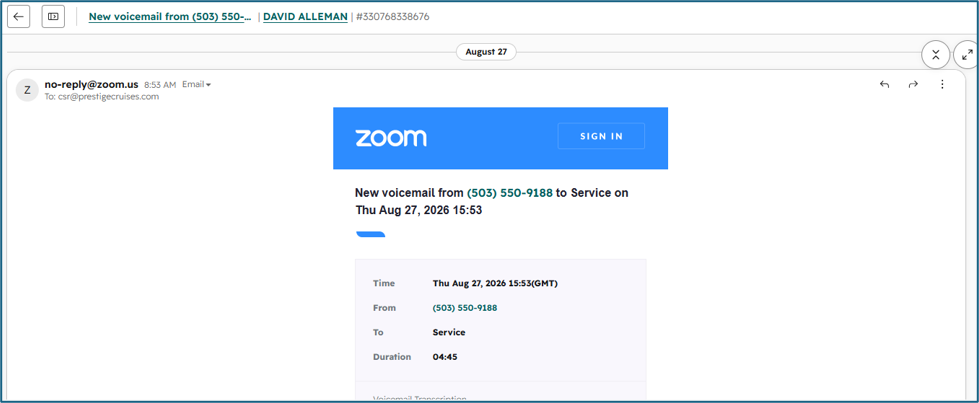
2. Double check the contact and booking are associated. 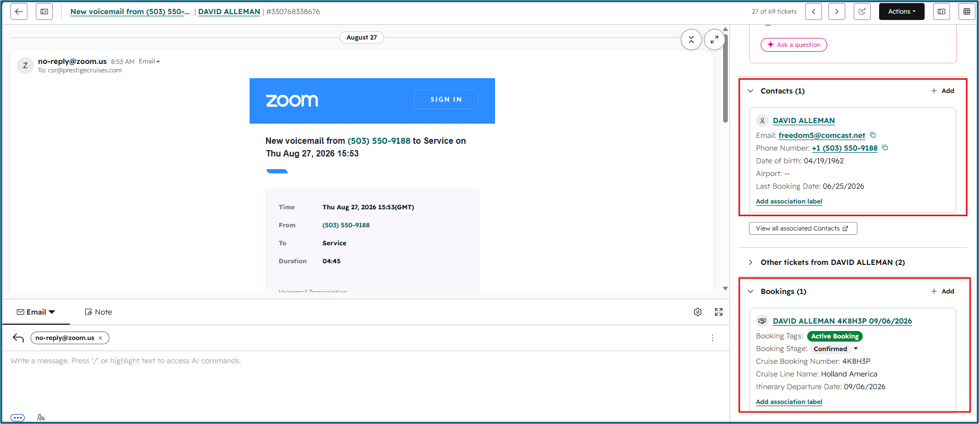
3. Review section for ‘Other Tickets’ to see if there are any recent tickets pertaining to the same thing. (When you click on ticket name, it will open in a new tab on your browser)
Example: There is a new voicemail pertaining to the same as the ticket you are working. This is when you would then ‘Merge’ your ticket. 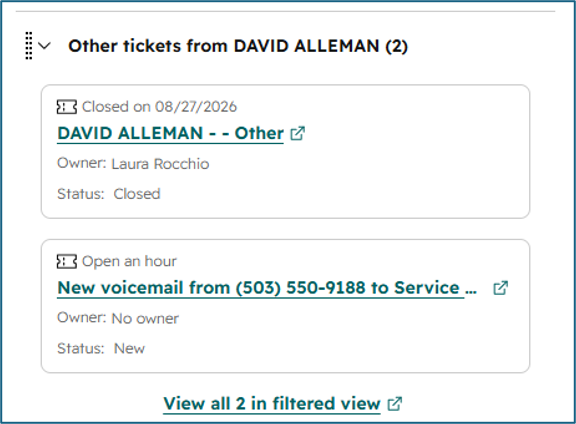
4. Before merging, copy the ticket # from the ticket that you found is a ‘duplicate’ by clicking on the ticket ID. 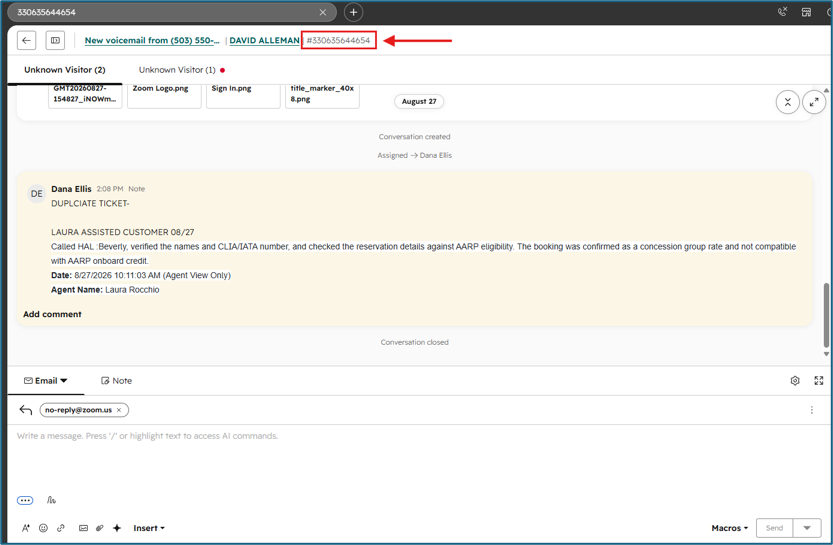
5. Once you have copied the ticket ID, close the ticket tab from your browser and go back to your original ticket tab.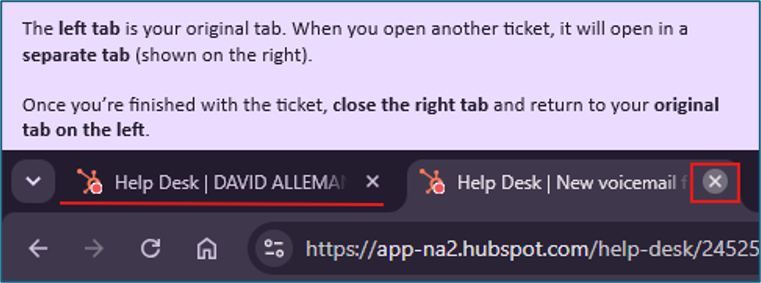
6. On your current ticket, click Actions in the top-right corner and select Merge ticket.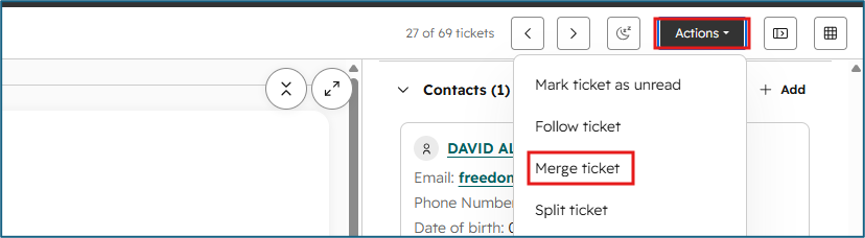
7. Your ticket will be listed as the Primary, automatically. Keep as is. 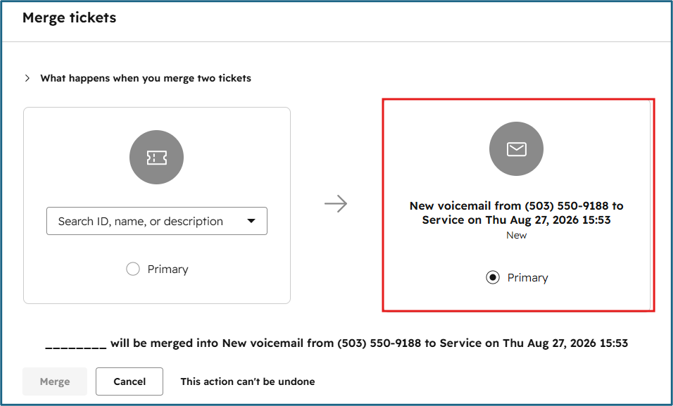
8. Search for the duplicate ticket using the ticket ID that you copied/wrote down. 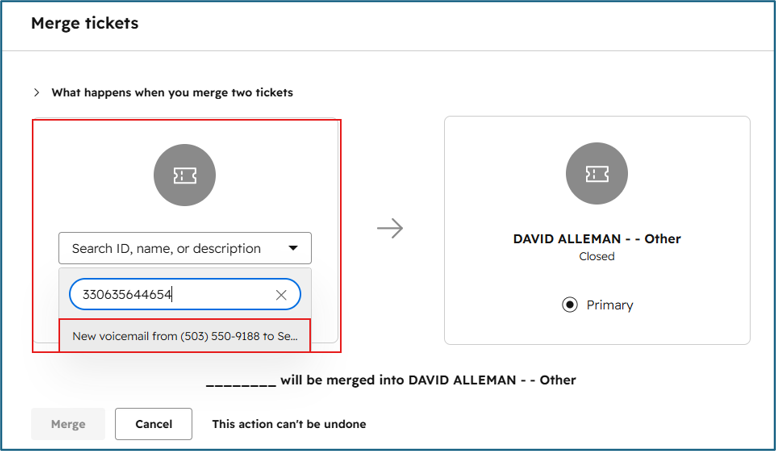
9. This will tell you what you are merging below. If this is correct, then click Merge.
If this is not correct, then select cancel. 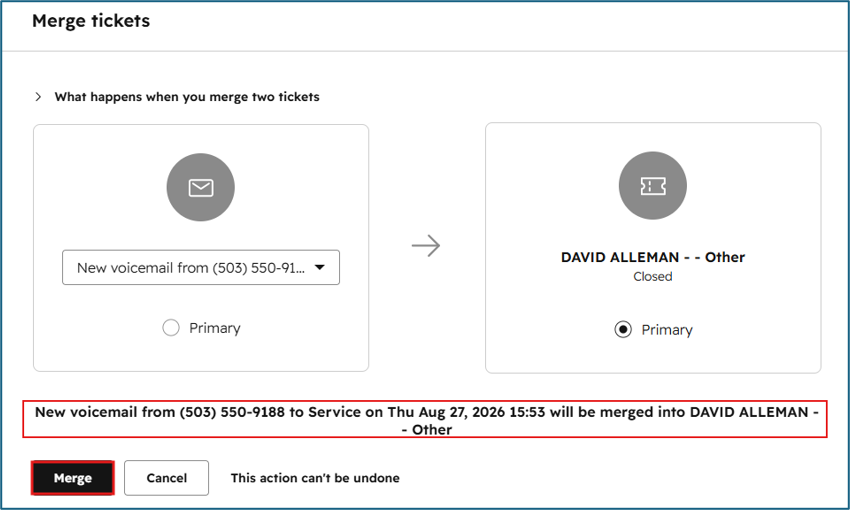
10. After merging, the ticket threads are combined into one ticket. In Help Desk, they may appear as separate sections that you can review as needed, or they may all be combined into the single ticket. 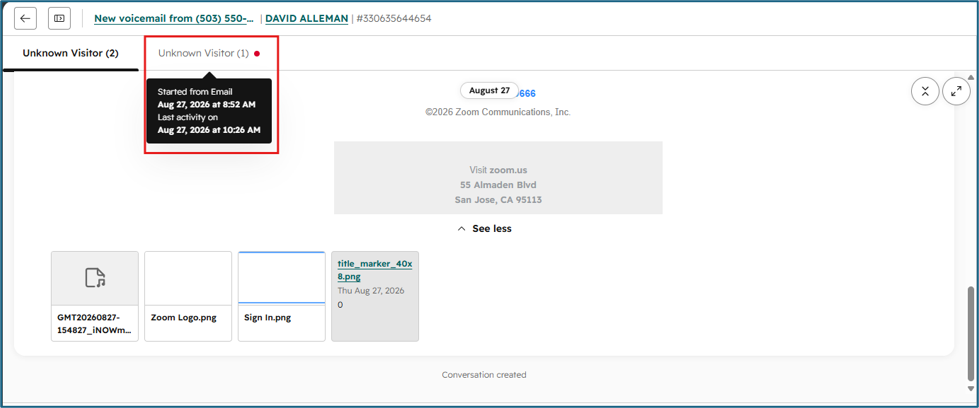
11. After merging, verify the Ticket Owner on the right side. Make sure the agent who will be handling the ticket - or who already handled and completed the guest’s inquiry- is listed as the Ticket Owner. 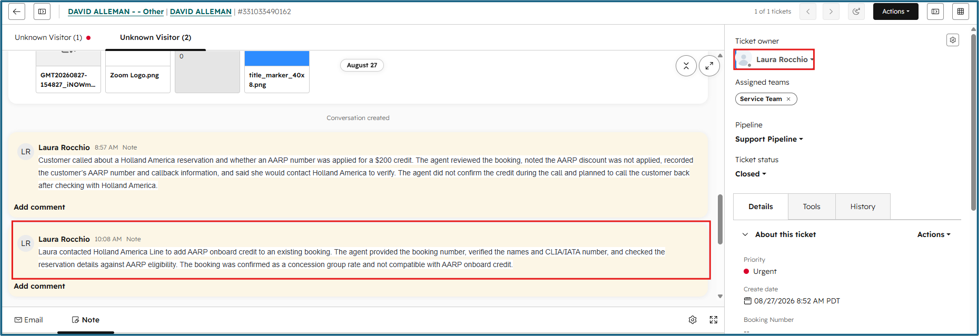
Important: Once tickets are merged, the merge cannot be undone. Be vigilant and make sure you merge the correct tickets before proceeding.
Examples of When and When not to Merge:
Only merge tickets when you are certain they relate to the same inquiry. If the tickets are for different inquiries, do not merge them.
Scenario 1:
The guest calls an agent directly and leaves a voicemail about making a payment. The guest then calls the Service queue and leaves another voicemail about making the same payment.
Action: Merge the tickets because both tickets are about the same payment request.
Scenario 2:
The guests called about upgrading their cabin, but they also have a separate ticket regarding airfare.
Action: Do not merge. These are two different requests and should remain as separate tickets.
Scenario 3:
An agent is automatically assigned a ticket from an email where the guest wants to add another passenger to their reservation. The same guest later leaves a voicemail about adding another passenger.
Action: Merge the tickets because both are about the same request.
Scenario 4:
The guest calls 4 times about the same cancellation request and leaves a voicemail 4 times, resulting in 4 tickets.
Action: Merge the tickets because they are for the same issue.
Scenario 5:
A guest has a ticket regarding a payment issue. A few days later, they contact us about purchasing travel insurance.
Action: Do not merge. These are separate requests and should have separate tickets.
📝Quick Reminder
Before merging, ask yourself:
“Are these tickets about the exact same issue or request?”
• YES → Merge
• NO → Keep them separate
Be careful when merging! Once tickets are merged, there is no way to undo the merge, so always review both tickets before completing the merge.